IN-GAME CREATORS
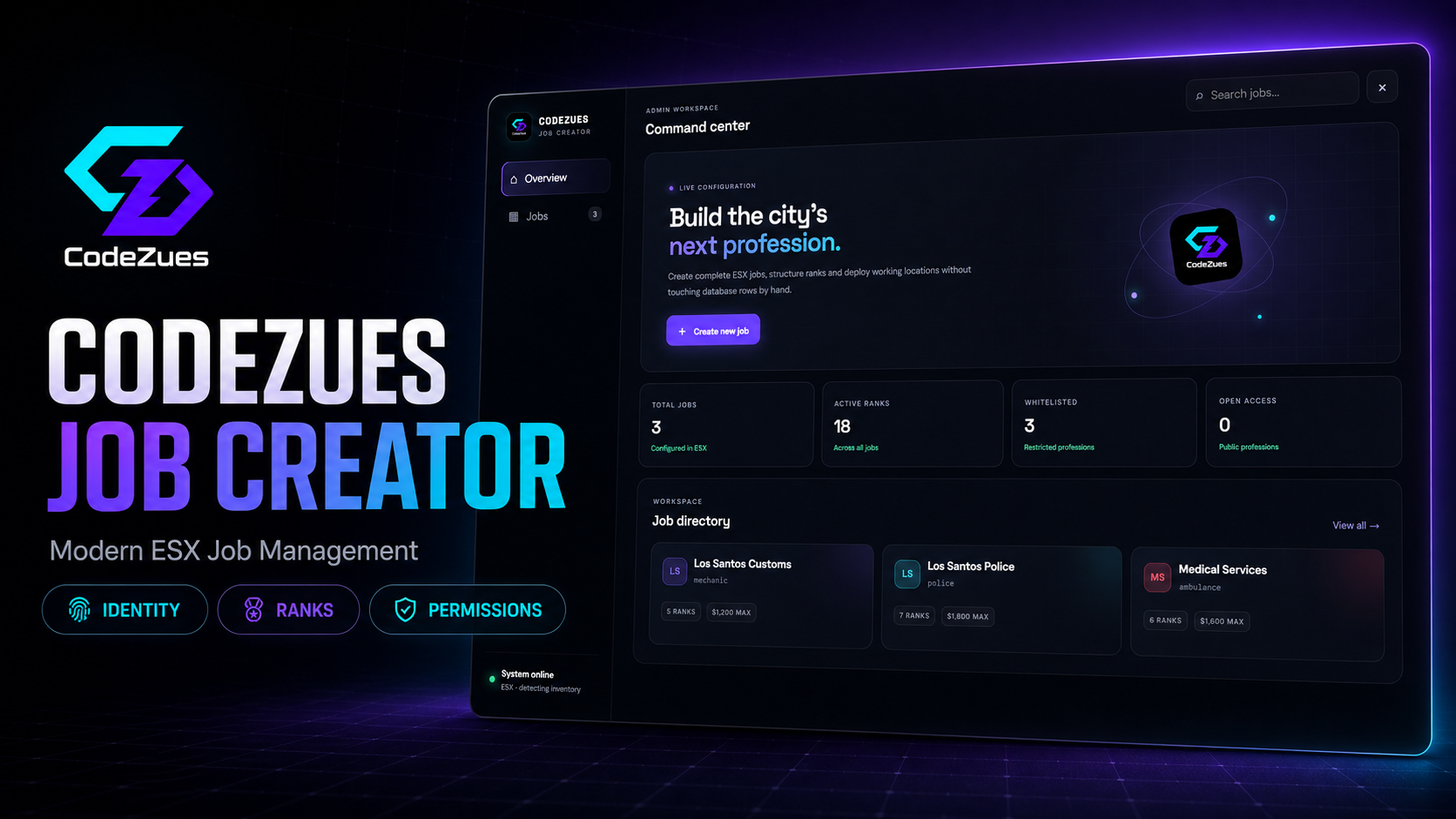
CodeZues Job Creator | Modern ESX Job Management [FREE]
CodeZues Job Creator is a modern in-game administration tool for creating and managing ESX jobs without manually editing database records.
Built with a clean, responsive and technical interface, it allows server administrators to configure jobs, ranks, salaries and permissions from one convenient workspace.
Features
- Create, edit and delete ESX jobs
- Configure display names, internal names, icons and accent colors
- Enable or disable job whitelisting
- Create and manage unlimited job ranks
- Configure rank names, labels and salaries
- Grade-based permission management
- Permissions for duty, boss actions, hiring, firing, promotions and society access
- Automatic live permission updates
- Searchable job directory
- Job statistics and overview dashboard
- Automatic inventory-system detection
- Secure ACE and ESX group authorization
- Custom confirmation modals
- No native browser prompts
- Optimized TypeScript NUI
- Responsive CodeZues interface
- SQL installation file included
- Easy-to-edit configuration
Framework and dependencies
- ESX Legacy
- ox_lib
- oxmysql
- MySQL/MariaDB
- FiveM artifact with Lua 5.4 support
Package contents
- Complete FiveM resource
- TypeScript user interface source
- Compiled production interface
- SQL installation file
- Configuration file
- Installation documentation
This package is delivered as a downloadable FiveM resource. Support and future updates can be provided through your CodeZues support channel.
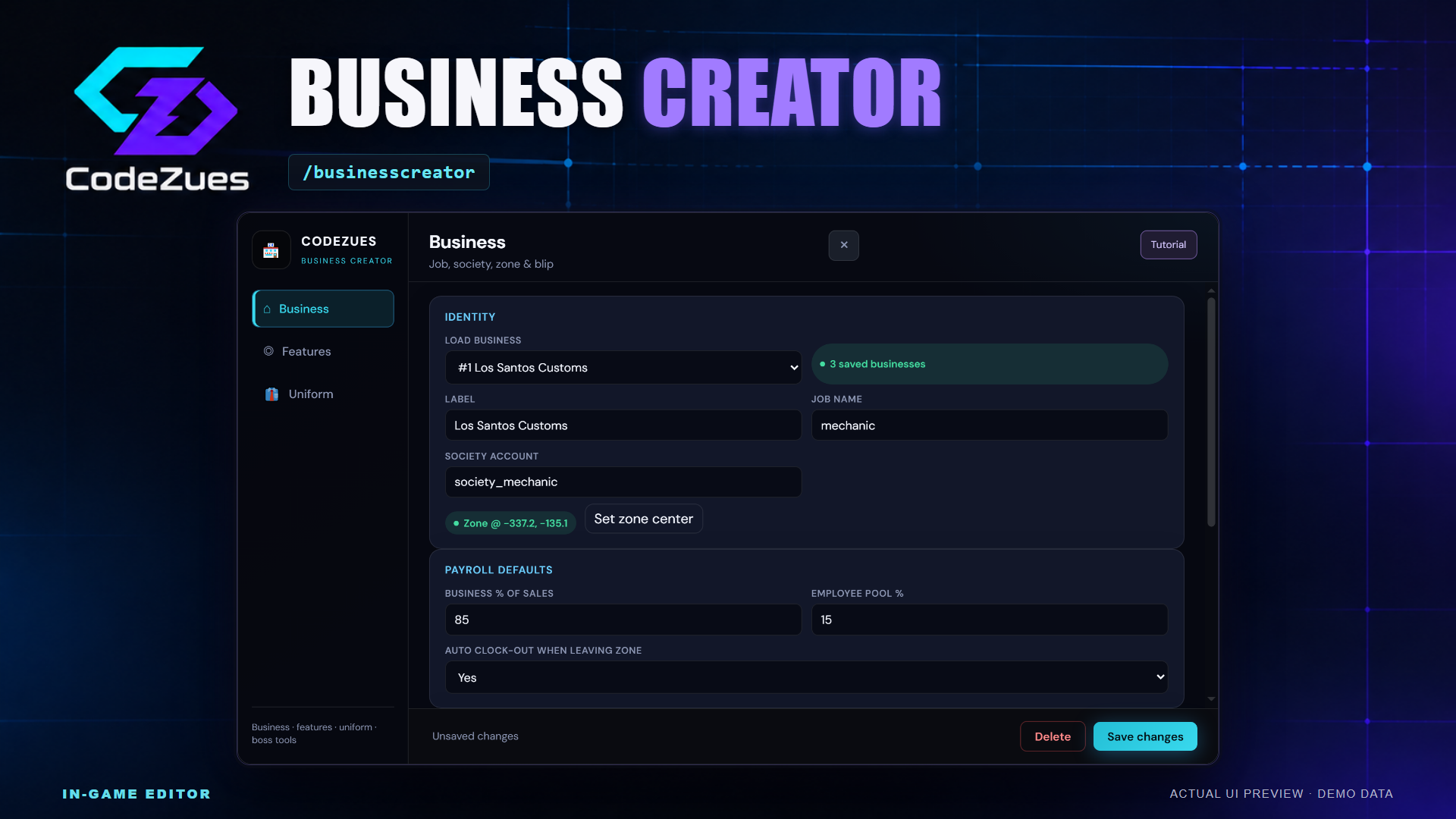
CodeZues Business Creator [ESX][QBOX][QBCORE] [FREE]
Give your ESX businesses a practical home in the city. Build business locations, employee interaction points, uniforms and boss terminals in game, then let staff handle customers, stock and management through connected interfaces. Business Creator combines the business setup workspace and boss-menu creator in one resource, with persistent settings and tools for day-to-day roleplay.
Create and organize each business
- Business identity and map presence. Open /businesscreator to set a display label, link an existing job and society account, position the business boundary and configure its map blip, sprite, color and scale. Create, edit or remove saved business and feature entries through the editor.
- Separate feature points. Add and edit registers, storage, freezers, duty points, animation interactions, NPCs and decorative props. Give each point its own label, player-facing target label and position. Use a target zone or supported prop placement to suit the location. Animation targets support presets or manual animation dictionary, clip, scenario and duration settings.
- In-game placement. Position business areas, feature points and boss terminals while viewing the game world. Configure interaction dimensions and distance without repeatedly editing coordinate files.
- Duty and uniforms. Provide on/off-duty interactions and optional automatic clock-out when employees leave their business area. Configure male and female multiplayer uniforms in the clothing editor, including component variations, textures and accessories. Original clothes are restored when employees go off duty. Clothing assets and matching ESX off-duty jobs must already be configured.
Registers, supplies and freezer stock
- Customer invoices. Employees create labeled invoices with an amount at a register. Customers review pending invoices and confirm payment; authorized employees can manage and cancel pending invoices. Payment accounts and sale limits are configurable.
- Sales distribution. Set business and employee-pool percentages at business or register level. The configured employee pool is shared among online, on-duty employees, with the remaining allocation handled through the society account.
- Flexible storage. Choose stash slots, weight, minimum job grade, public or job-only access, and shared or per-player ownership for supplies and storage points.
- Quantity-based freezers. Choose allowed inventory items and maximum stock for each item. Authorized on-duty staff deposit and withdraw quantities, with fresh items generated on withdrawal rather than retaining an item instance and its expiry metadata.
- Activity records. View register activity in the Business Stats laptop app, including paid, pending and cancelled invoice entries, summaries, filters and additional pages. Configure Discord webhook logging for supported business events.
Boss terminals and management apps
- Place your own terminals. Use /bossmenucreator to link a terminal to a job and society account. Set its label, boss grade or minimum grade, target icon, interaction distance and zone size.
- Society banking. Authorized bosses can review the society balance and move funds between their bank account and the society account, within configured transaction limits.
- Employee management. Review employees and online status, hire online recruits, change grades, dismiss employees and pay bonuses to online staff from society funds. The Payroll & Ranks app edits grade labels, internal grade names and salaries.
- Department-specific tools. The configured traffic-department citizen app searches citizen records and displays license status. Authorized users can grant or revoke the configured license types through esx_license.
- Garage links. Attach a business garage interaction to a configured garage key through the codezues-garagecreator integration. That feature requires the matching garage resource and setup.
Guided setup and faster searching
The Tutorial button provides Create and Edit walkthroughs for Business, Features, Uniform and boss-terminal setup. You use the real editor controls and choose when to Save; a walkthrough completes only after the server accepts that save. Draft values stay under your control, and guides hide during placement or clothing previews before resuming.
Long business, feature, job, prop and ped selectors are searchable. The freezer item picker searches inventory labels and spawn codes, displays available item images with a fallback, supports keyboard selection and lets you narrow large catalogs as you type.
Compatibility and installation
This combined package targets ESX with ox_inventory and ox_target. Required resources declared by the package are es_extended, esx_society, esx_license, ox_lib, oxmysql, ox_inventory, ox_target, fd_laptop and codezues-creator-webhooks. The boss apps use fd_laptop. Existing jobs, society accounts, dependency database schemas and optional integrations need their normal setup.
AutoSQL is enabled by default. It creates and verifies this resource's own tables, adds safe missing columns and indexes, and preserves existing rows. Setup conflicts are reported to administrators for review. Admin access uses configurable permissions, and saved business changes update the runtime. The package includes its built interface and installation instructions.
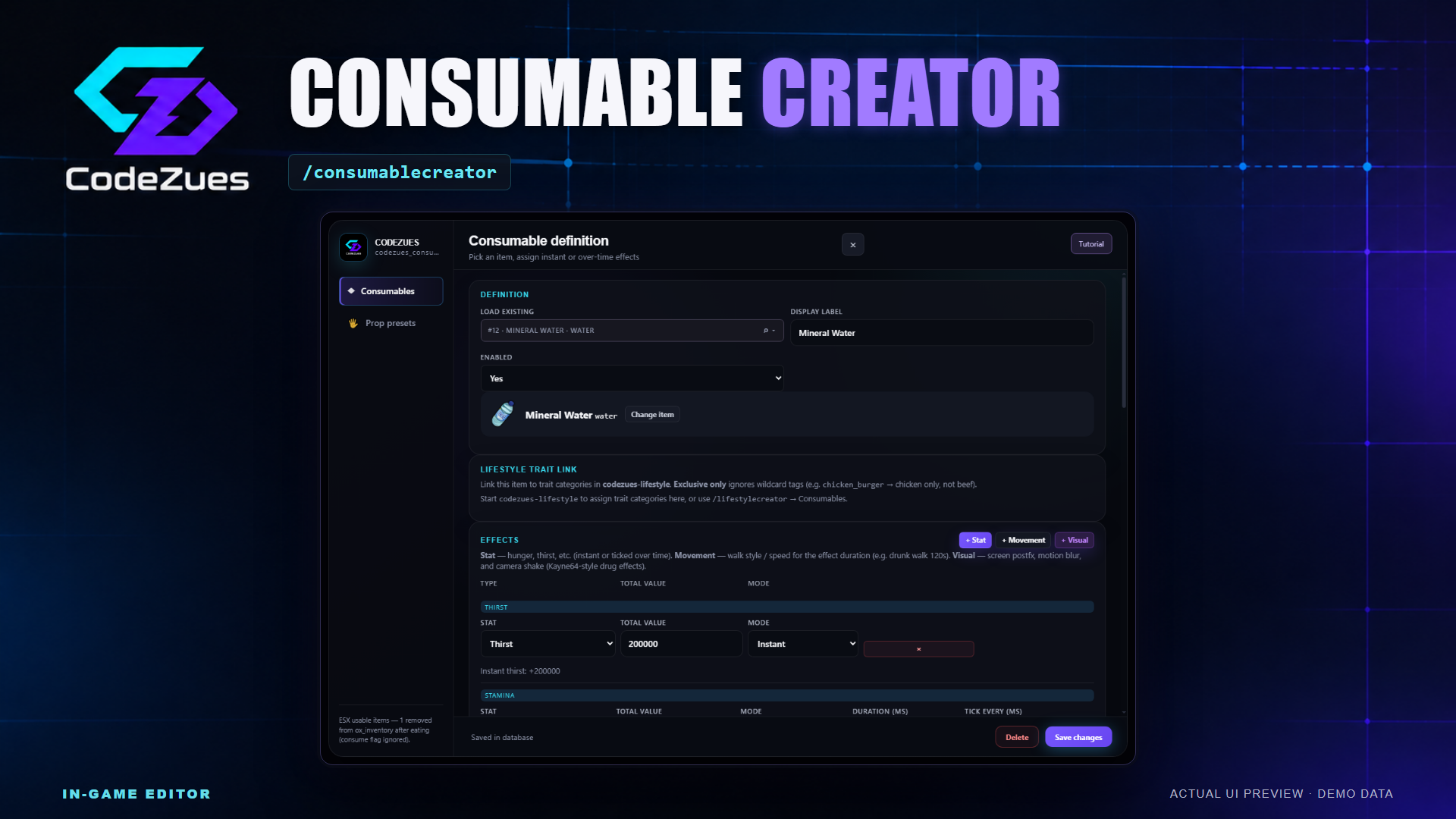
CodeZues Consumable Creator [ESX][QBOX][QBCORE] [ox-Inventory] [FREE]
Give your server's food, drinks and other usable items their own behavior through an in-game editor. CodeZues Consumable Creator brings item selection, effects, animations, attached props and use requirements into one workflow for ESX and ox_inventory. Build a simple drink, a meal with several effects, or an item with a distinctive animation and temporary visual effects, then save its definition without editing a separate Lua entry for every change.
Create and edit with clear guidance
Open /consumablecreator to manage consumables and reusable prop presets. The built-in Tutorial offers separate Create new and Edit existing walkthroughs for both tabs. It points to the real controls, follows the current editor layout and waits for a successful manual save. Back, Next, Escape and Exit leave your draft intact; the guide hides during the prop preview and resumes when you return.
- Search the existing ox_inventory catalog by item code or display label, with item images and a fallback for missing artwork.
- Use keyboard navigation to select results. Searchable lists help you find saved definitions, taking methods, animations and prop presets.
- Load an existing definition, adjust its label, enable or disable it, and save through the same editor.
Combine effects to suit your items
- Stat effects: configure amounts for hunger, thirst, stress, health, armour, stamina and run speed. Additional configured status entries include drunkenness, oxygen and energy.
- Timing: use instant stat changes or apply them over time with configurable duration and tick intervals.
- Movement effects: choose walking clipsets, sprint or swim multipliers, temporary infinite stamina, or ragdoll behavior. Included movement presets provide starting points such as drunk, injured and other walking styles.
- Visual effects: combine screen post-processing, motion blur, a drunk camera and camera shake, with editable duration and intensity controls.
Hunger, thirst and other ESX status values use your compatible esx_status setup and its registered statuses. Native effects such as health, armour and movement use their own game behavior. Stress supports the configured jg-stress resources when present, with a player-state fallback.
Make the item look right in use
Choose an included taking method such as eat, drink, smoke, pill, sniff, inject, coffee, caviar or instant use. Use a custom animation or scenario when a preset does not fit. Adjust the use time, progress text, completion notification and cooldown. The editor can also copy available animation, progress and prop hints from the selected ox_inventory item.
Attach multiple props during use, including combinations such as a container and utensil. The hand prop editor provides a cloned character preview, attachment-bone selection, position and rotation offsets, camera views, animation preview and nudge controls. Save reusable prop presets for later items, or adjust an attachment for one consumable.
Control requirements and keep definitions reusable
- Require supporting items, such as a lighter, before a consumable can be used.
- Choose whether a requirement only checks ownership, consumes an amount, or reduces item durability.
- Check ownership, usable durability and cooldown on the server. A successful use removes one consumable item; cancelled progress does not run its effects.
- Export and import consumable definitions as JSON, and configure Discord webhook notifications for successful item use.
- Optionally connect to codezues-lifestyle for consumable categories and trait-based modifications when that separate resource is running.
Setup and requirements
Required: ESX through es_extended, ox_inventory, ox_lib and oxmysql. Inventory items must already be registered in ox_inventory. Install esx_status and the appropriate status entries for the ESX status effects you plan to use. Optional integrations and their resources are separate from this package.
Automatic SQL setup is enabled by default. Startup verifies the bundled tables, columns and indexes and adds safe missing schema without resetting existing rows. Database-backed actions wait for setup and saved-data loading. An incompatible schema or database permission problem produces a setup failure for an administrator to resolve. Manual SQL remains available if you disable automatic changes.
Administrator access uses the configured ACE permissions or ESX groups. Saved definitions are loaded into the running resource; /consumablereload rechecks and reloads them when needed. Configuration and the listed compatibility files remain available for server-specific setup.
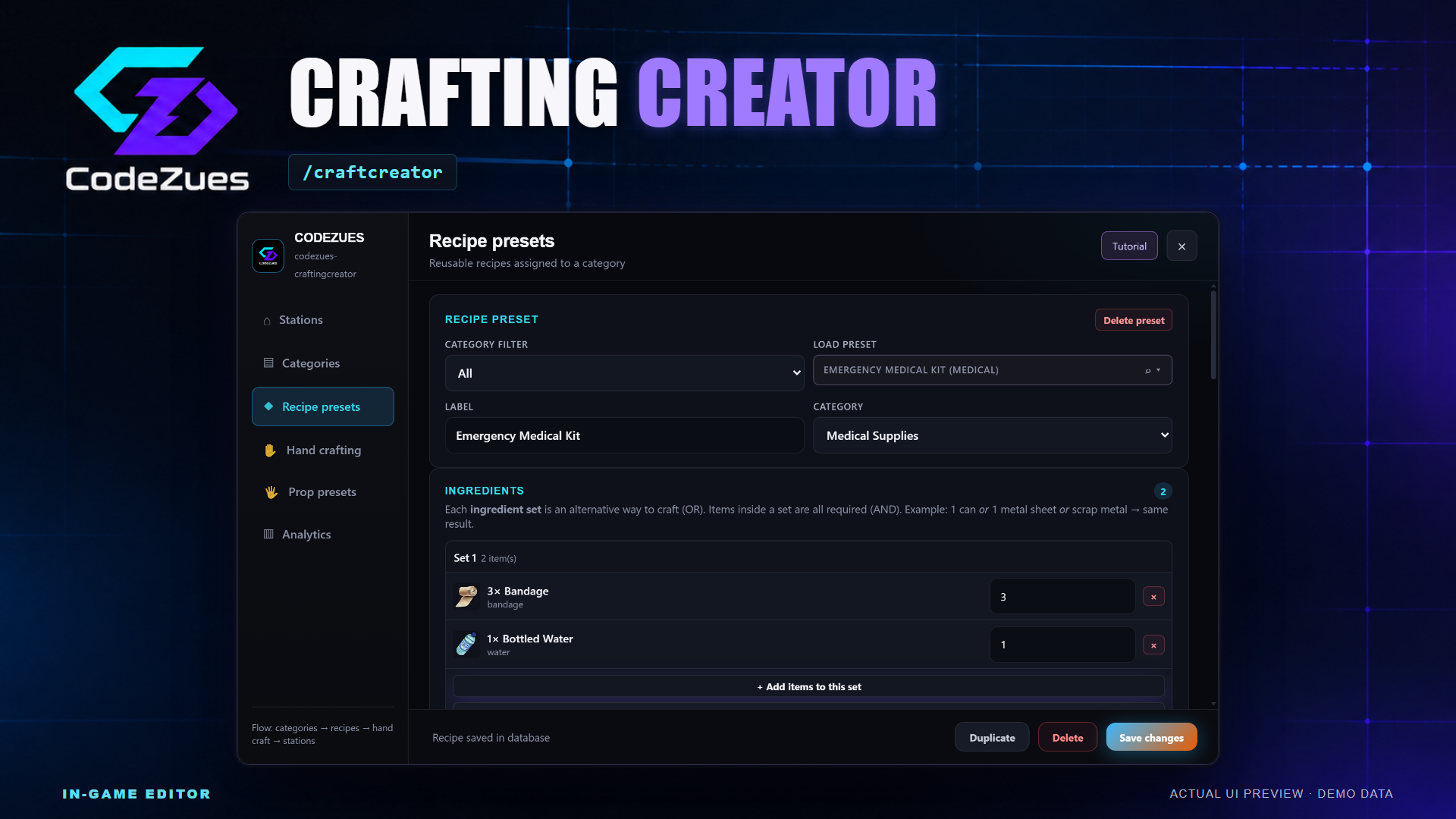
CodeZues Crafting Creator [ESX][QBOX][QBCORE] [ox-Inventory]
CodeZues Crafting Creator
Build crafting activities around your server's economy directly in game. CodeZues Crafting Creator brings stations, reusable recipes, progression, inventory actions and prop setup into one editor. Turn a workshop, kitchen or gathering spot into an activity with its own ingredients, rewards, access rules and interaction style.
Open /craftcreator to manage your content. Players use a dedicated crafting panel with recipe search, item images, ingredient and result previews, lock information and batch controls.
Create stations that fit your world
- Target zones or world props: place stations in game, use several positions for the same setup, and choose from categorized prop models or enter an installed custom model.
- Reusable content: create recipe presets, organize them into categories and assign categories to stations. Activity templates provide starting settings for cooking, farming and other themed activities.
- Access and presentation: configure public or job-restricted access, station labels, target icons, map blips, interaction distance and routing buckets.
- Station rules: set batch limits, player and global cooldowns, and optional learned-blueprint requirements. A configurable station lock allows one player to use a station at a time.
Give every recipe its own behavior
- Flexible ingredients: configure quantities and alternative ingredient sets so players can use different combinations for the same recipe.
- Configurable rewards: add multiple results with quantities, minimum and maximum amounts, and individual result chances.
- Tools and risk: require tools, consume or degrade them, set failure chances and partial ingredient loss, and choose items returned after a failed attempt.
- Interactions and animation: choose a progress bar, circle progress or skill check. Recipes can inherit station settings or override their duration, progress label and animation preset.
- Progression: award category XP, require crafting levels, track learned blueprints, configure recipe prerequisites and hide recipes until their discovery conditions are met. Optional first-craft XP multipliers reward new achievements.
- Recipe checks: use the editor's validation tool to identify unknown inventory items, missing results and invalid or missing recipe prerequisites before putting a recipe into use.
Add production systems when you need them
Advanced station options let you build beyond immediate crafting. Enable persistent production queues with per-player queue limits and adjustable production time. Players can view queued jobs, change their order, cancel unfinished jobs and collect completed outputs.
- Enable shared ox_inventory station storage with configurable slots and weight.
- Set daily per-player production limits and per-unit fees paid with a configured inventory item.
- Require a chosen number of nearby players for cooperative crafting.
- Review a 30-day analytics summary covering stations, recipes, quantities, successes, queued production and collection events.
Hand crafting, item opening and prop presets
The Hand crafting editor creates actions tied to existing inventory items. Offer crafting choices through item buttons or a context menu, or use Item open to consume a configured number of trigger items and give configured results. Set ingredients, interactions, animations and optional location restrictions for your actions.
Create reusable hand-prop presets with an attachment bone, position and rotation. The in-game prop editor provides a character preview and camera views for checking attachments. Recipes and hand-crafting actions can use multiple props, while station activity setups can include decorative props. Crafting stress can also be configured, with an optional compatible stress-resource integration.
Guided editing and faster item selection
The Tutorial button offers Create new and Edit existing walkthroughs for Stations, Categories, Recipe presets, Hand crafting and Prop presets. It highlights the real controls, pauses during placement and prop editing, and finishes after the server accepts your manual save. Exiting keeps your draft.
Search saved entries by label or ID. Ingredient, result, tool and trigger-item pickers search inventory labels and spawn codes, show available item images and support keyboard selection. Quantity controls and alternative ingredient sets remain part of the editing flow. JSON recipe import/export, duplication tools and unsaved-change prompts help with ongoing administration. Discord logging is configurable for stations and hand-crafting actions.
Compatibility and installation
- Inventory: ox_inventory.
- Framework: ESX, QBCore or Qbox job integration; automatic framework selection is the default.
- Required resources: ox_lib, oxmysql, ox_target and codezues-creator-webhooks, alongside ox_inventory.
- Database: automatic SQL setup is enabled by default. Startup creates missing owned tables and adds safe declared columns and indexes while retaining existing rows. Incompatible schemas are reported for administrator review; a console repair command is available after the underlying issue is corrected.
Inventory items and streamed models must already be installed separately. The tutorial does not register items or install assets. The included compiled interface is ready for installation without a Node.js build on the game server.
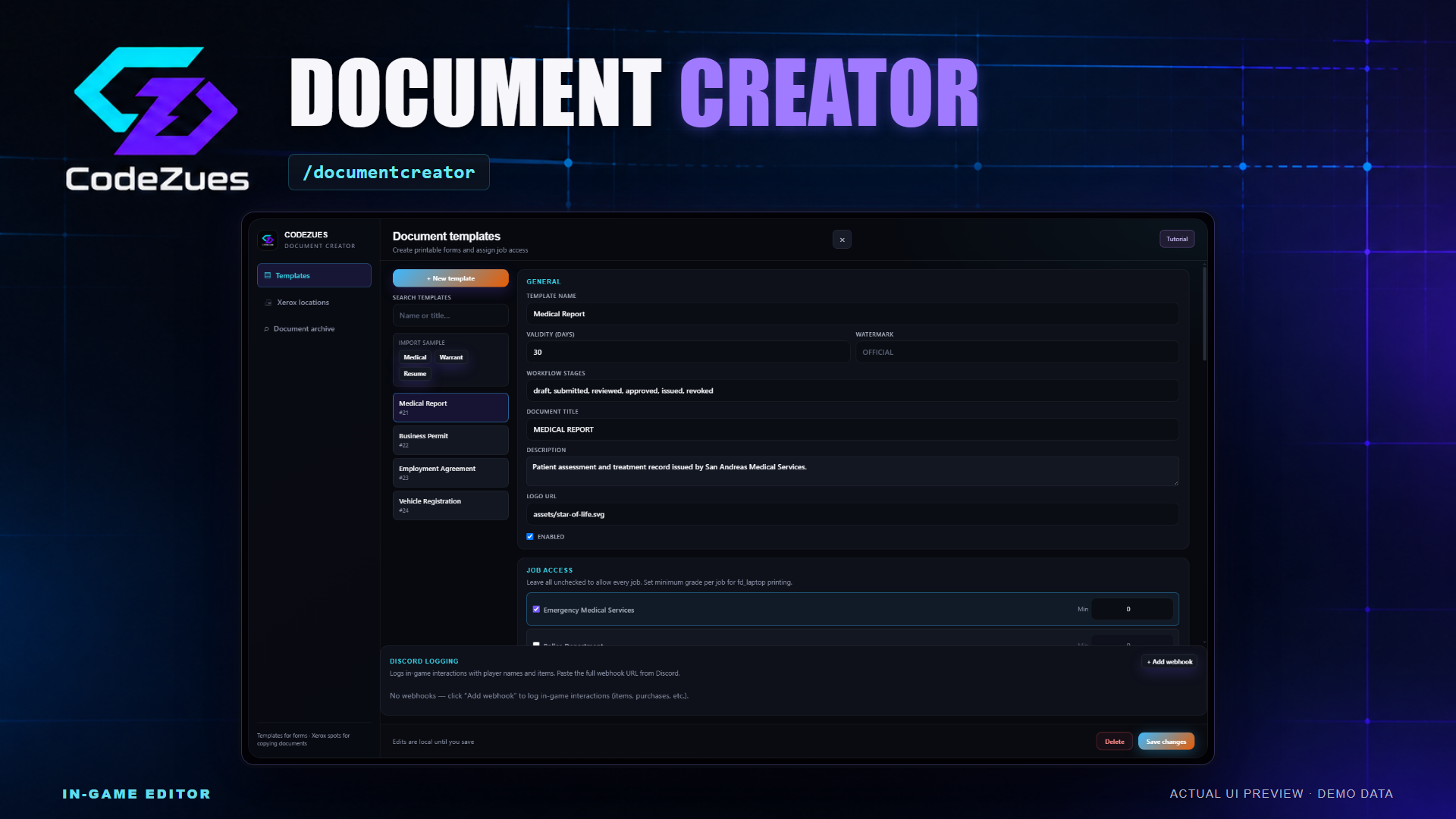
CodeZues Document Creator [ESX][QBOX][QBCORE] [ox-Inventory]
Bring forms, reports, permits and other paperwork into your roleplay server with an in-game document studio. CodeZues Document Creator lets administrators build reusable templates, control who can print them and place Xerox interaction points. Players can receive blank forms, complete them through their inventory and show completed documents to nearby players. An archive connects issued documents with verification codes, status controls, expiry and revocation.
Build documents in the editor
Open /documentcreator to manage Templates, Xerox locations and the document archive. Set a template name, document title, description and logo, then organize the form into sections. The live preview helps you inspect its layout before saving.
- Add text, long text, numbers, currency, dates, dropdowns, checkboxes and typed signature fields. Address, vehicle and image-URL fields support more specific forms.
- Set field labels, keys, placeholders, required flags and column widths. Configure dropdown choices and conditionally show fields based on another field's value.
- Reorder sections and fields with drag controls or move buttons, duplicate entries, and duplicate a full template as a new local draft.
- Use the included Medical, Warrant and Resume sample actions as starting points. Optional SQL examples also provide Medical Report and Business Permit templates.
- Keep templates public or restrict printing by job and minimum grade. Enable or disable a template without rebuilding its form.
A guided workflow for new and existing records
The Tutorial button offers separate Create new and Edit existing walkthroughs for both templates and Xerox locations. The guide highlights the real editor controls and waits for the matching successful Save changes response. It never fills fields, creates records or saves automatically. Exit, Escape, Back and Next preserve the draft; world placement temporarily hides the guide and resumes the same step when you return.
Search templates by name, document title or ID. Saved Xerox locations and longer job lists have keyboard-accessible search. Template drafts also have browser autosave recovery, while version history lets administrators browse saved versions and restore a previous template. Export configuration JSON and import its templates as new records.
Make paperwork part of roleplay
- With the optional fd_laptop integration, authorized players select a template and print a blank form using the configured paper requirement.
- Use a blank document in ox_inventory to fill its fields and submit it. Server validation checks the form against the template.
- Typed signatures record the submitted value with signer and time information. Multiple signature fields can be included in a template.
- Use a completed document to open its read-only view and share that view with nearby players within the configured radius.
- Copy a document with the configured paper requirement, or destroy it and optionally receive crumpled paper.
Documents carry an ID, verification code, template version and issuing information. Set template validity periods, verify a document through the archive or /verifydocument, and revoke it with a reason. Authorized archive users can search by document ID, verification code or label and filter by status. Administrative controls support the built-in draft, submitted, reviewed, approved and issued states.
Place Xerox locations around your city
Create persistent Xerox interaction zones with an in-game placement tool. Set their label, target icon, position, zone size and rotation; use the teleport tool to revisit a saved location. Each location can be public or limited to jobs and minimum grades.
The two-slot inventory tray keeps the original in the first slot and provides a copy-output slot, with additional copies going to the player's inventory. Configure copy prices and payment accounts, monochrome and color price options, quantity limits and copy watermarks. Certified-copy access can require a minimum grade. Players choose their quantity and mode, confirm the price and complete a printing progress action. Template and Xerox webhook settings can report issuing and copying to Discord.
Requirements and installation
Required: ESX through es_extended, ox_inventory, ox_target, ox_lib and oxmysql. Register the configured paper, document and crumpled-paper inventory items. fd_laptop is optional and is required for the bundled laptop printing app; the administrator studio and inventory document viewer can operate without it.
Automatic SQL setup is enabled by default. It verifies the bundled schema and adds safe missing tables, columns and indexes while preserving existing rows. Issuing and creator actions wait for setup and saved-data loading. Unsafe schema conflicts or database grant problems fail setup for an administrator to resolve. Optional starter-template SQL is separate and is never replayed at startup.
Configured ACE permissions and ESX groups control administration, with configurable job access to the archive. Document issuing exports and editable integration hooks support other server resources. Configuration and the documented framework, inventory and open integration adapters remain available for customization.
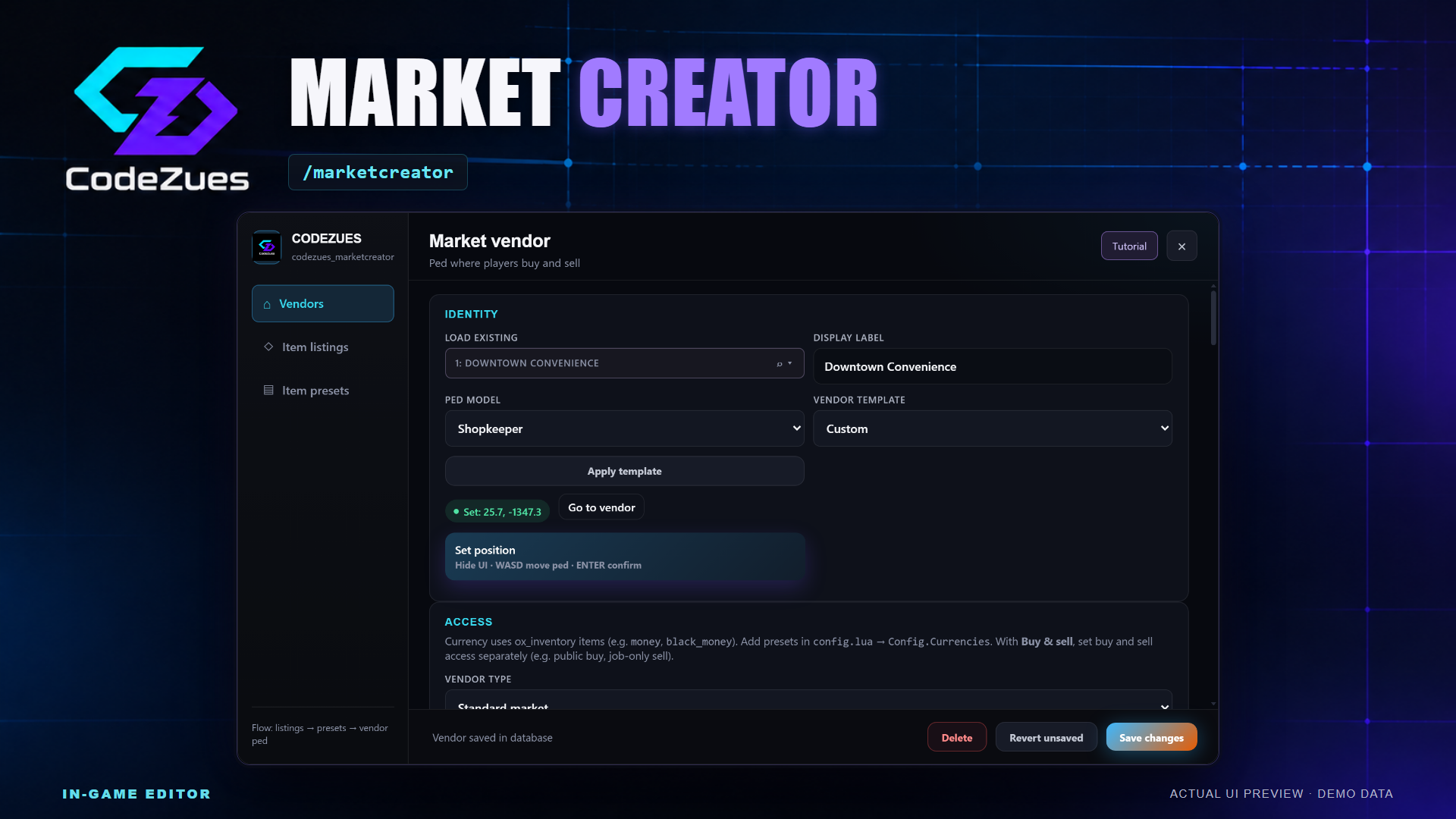
CodeZues Market Creator [ESX][QBOX][QBCORE] [ox-Inventory]
Create NPC shops, trading spots and employee-managed markets without maintaining a separate configuration for every location. CodeZues Market Creator combines an in-game vendor editor, reusable item listings and a player shopping interface with stock management and optional commerce systems.
Open /marketcreator to manage Vendors, Item listings and Item presets. Build a convenience store, pawn shop, pharmacy or black market around the items and economy already installed on your server.
Place and customize your vendors
- In-game placement: position the vendor ped, set its heading and use teleport tools to revisit saved locations. Choose a listed ped model or enter an installed custom model.
- Starting templates: convenience, pawn, pharmacy and black-market templates provide initial vendor settings for you to adjust.
- Presentation: configure display labels, map blips, target details, interaction distance, idle behavior and trading animations. Routing-bucket settings let you restrict vendors to an instance.
- Reusable listings: create categorized item listings with separate buy and sell prices, optional item metadata and individual buy/sell switches. Collect listings into presets and reuse them across vendors.
Choose how each market trades
Run a buy-only shop, a sell-only trading spot or a market that supports both. Buy and sell access can be configured separately, allowing arrangements such as public purchasing with job-restricted selling. Choose cash, black money or another registered ox_inventory currency item.
- Standard markets: offer unlimited purchase stock or enable restockable stock, where items sold into the vendor become available for purchase.
- Stock controls: set a vendor's maximum stock per item. Stocked quantities are tracked separately for its products.
- Employee-managed shops: assign an owner job, minimum management grade, duty requirement and a list of allowed products. Authorized employees set prices and stock items in or out from their inventory.
- Society sales: job-shop sales can deposit into the configured society integration. Optional Business Creator integration links sales with business statistics.
- Fallback NPC: optionally hide a job-shop ped while on-duty employees are online. A separate management target lets staff manage the shop while that ped is hidden.
A complete player shopping flow
Players browse categorized items with inventory images, choose quantities, add purchases or sales to a cart and checkout through the dedicated market panel. The interface shows item details and feedback, while trading can use animations and GTA checkout sounds.
Transactions check the server's prices, access rules, distance, routing bucket, available stock, inventory capacity and funds. Configurable durability rules prevent heavily degraded items from being stocked or sold into a market. Transaction limits and request throttling are also configurable.
Optional commerce automation
- Opening schedules: choose open days and opening/closing hours using the server's clock.
- Stock-sensitive prices: adjust purchase pricing around a target stock level, pricing strength and maximum price.
- Promotions and loyalty: configure item discounts and minimum quantities, including timed promotions through JSON settings. Track loyalty points, reputation and spending, with reputation-based discounts.
- Purchase limits and taxes: set per-player quantities for hourly, daily or restart-based periods, and configure a sales-tax percentage and tax-account destination.
- Player ownership: offer a market for purchase and track its owner's sales balance. Job-shop management tools also provide owner balance withdrawals.
- Supply orders: authorized job-shop managers can place JSON-defined orders for allowed products and collect stock after the configured delivery delay.
- Visibility: view a 30-day sales summary with revenue, units, transaction counts, tax totals and top products. Optional per-vendor Discord webhooks provide transaction logs.
Tools for ongoing administration
Duplicate an existing vendor, export the market configuration, or merge an exported JSON configuration through the editor. Imports create a database backup first. A confirmed bulk action increases all listing buy and sell prices by 10%. Per-market message overrides and editable notification settings let you adapt the customer-facing wording.
The Tutorial button offers Create new and Edit existing walkthroughs for Vendors, Item listings and Item presets. Guides highlight actual controls, pause during placement and complete after your save is accepted. They never place a vendor, apply a template or save automatically.
Saved-entry pickers support label and ID search. Inventory pickers search labels and spawn codes, display item previews and support Arrow keys, Enter and Space. Revert controls and unsaved-change prompts help protect work in progress.
Compatibility and installation
- Shipped framework setup: ESX with es_extended.
- Required resources: ox_inventory, ox_lib, oxmysql and ox_target, alongside es_extended.
- Optional integrations: Business Creator statistics and a compatible society/banking setup for job-shop income and tax destinations. Market's Discord logging does not require a separate webhook resource.
- Automatic SQL: enabled by default. Startup creates missing owned tables and adds safe declared columns and indexes, preserving existing rows. Incompatible schemas are reported for administrator review, with a console repair command available after correction.
Items, currency items, ped models and society accounts must exist in the relevant inventory, streamed assets or framework setup. Some advanced commerce options use JSON fields in the editor. The included compiled UI requires no Node.js build on the game server.